logo
  • Awesome templates
  • Purchase
  • Buy More Template

Doc NAVIGATION

  • Getting Started
    • Requirements
    • What's Included
  • ViatourNext Installation
  • ViatourBasic Site Setting
    • Change Site Title and Favicon
    • Change Logo
  • ViatourTemplate Options
    • Header
    • Hero Section
    • Tour Listings
    • Blog
    • About
    • Destinations
    • Terms
    • Contact
    • Footer
    • All Data
    • 404
  • ViatourGlobal Color
  • ViatourChange Log

Getting Started

Welcome to Viatour - Travel & Tour Agency React NextJs Template We would like to thank you for choosing our template - Viatour.

It’s built with the most modern tools Bootstrap 5 + React NextJS. it’s a high-Quality and well organized React NextJS Template specially designed to fit all the needs of a Real Estate Business. With a wide variety of custom pages, 10 completely different Homepages and endless design possibilities.

it’s a very complete and highly customizable React NextJS template that will help you build your own website layouts. It's Simple, elegant, extensive, professional..

Requirements

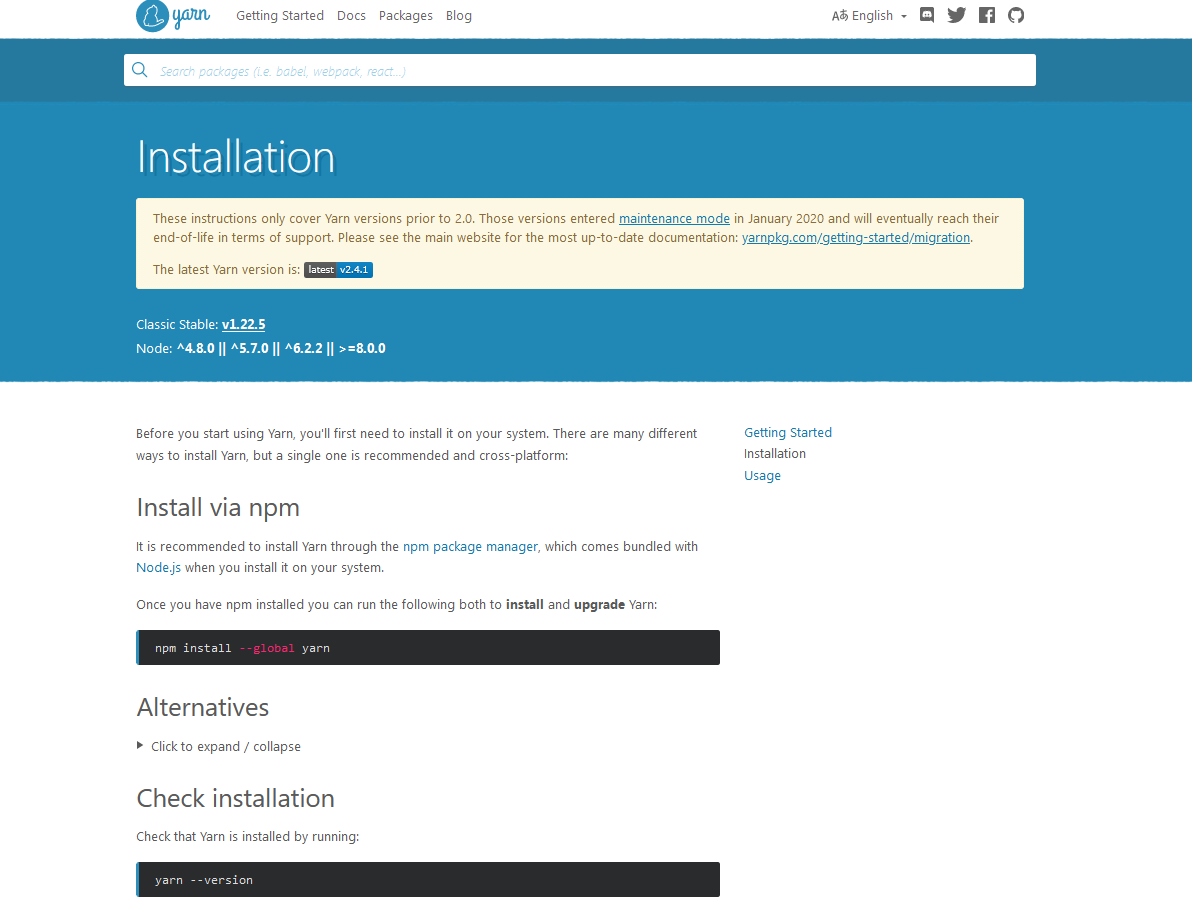
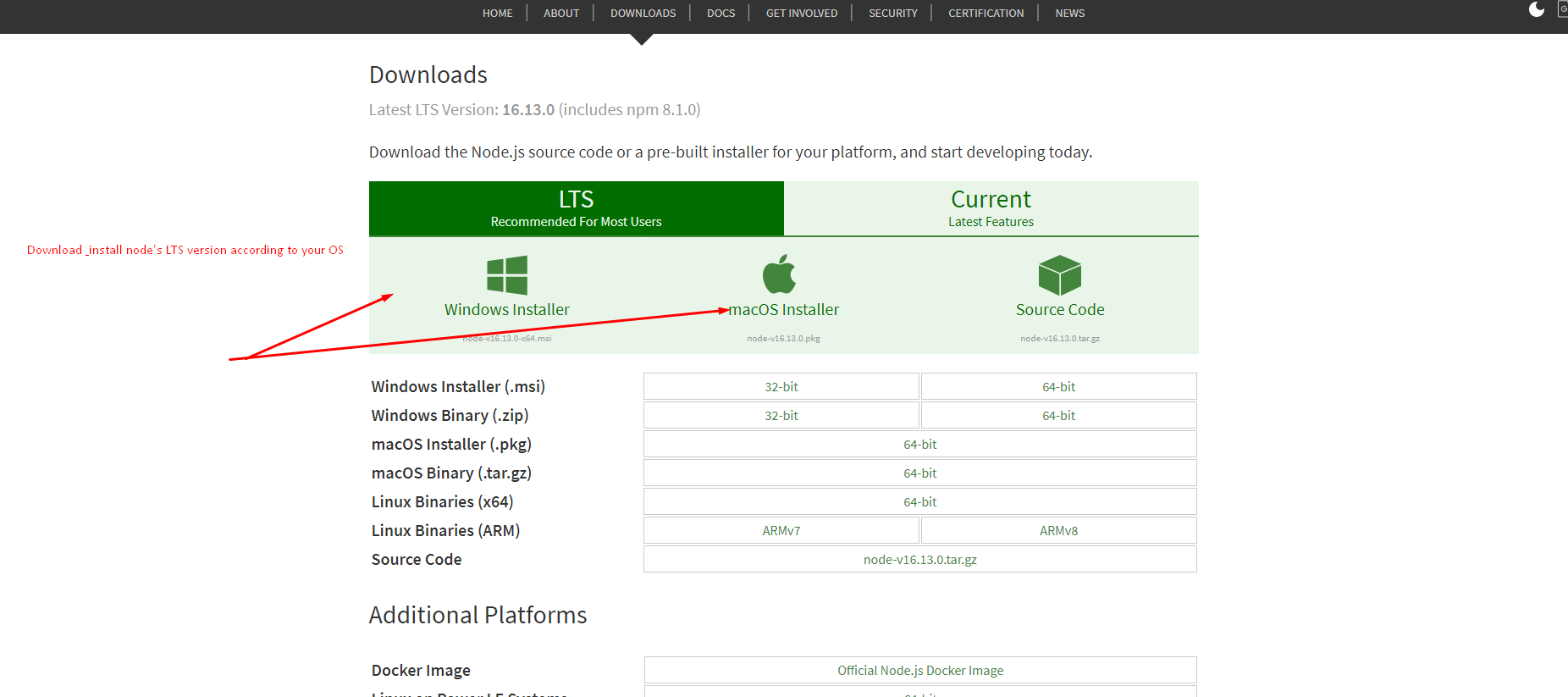
There are system requirements in order to install and setup this template and its components properly. Make sure that you alredy installed Node.js and Yarn in your pc

Recommended node and yarn

installation

installation

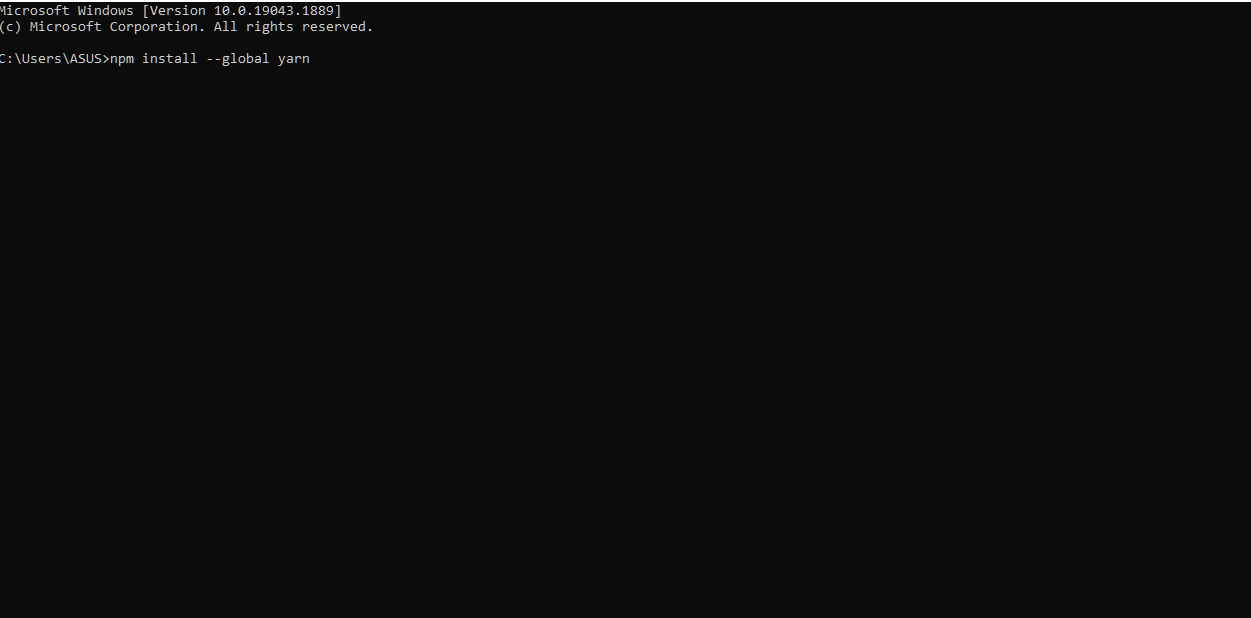
Install Yarn

installation

What's Included

After purchasing Viatour template on themeforest.net with your envato account, go to your download page. You can choose to download Viatour template only (Installable React template) or the entire Viatour template.After extract the package you will find following this files:

whats-included

You can get the following items after purchasing our template from themeforest

  • Viatour - An Installable React template zip file. this file you need to upload
  • License - This folder contains the terms and conditions of the license.
  • Documentation - This folder contains what you are reading now :)

Next Installation

Please follow the instructions in the video to see how you can install React on your hosting:

  1. For local host -
    1. Open you command prompt
    2. yarn install
    3. yarn dev (will start the dev server at http://loaclhost:3000)
  2. Deploying to Netlify - https://www.youtube.com/watch?v=TbQ4kWX29lQ


  1. For locally build -
    1. Open you command prompt
    2. yarn build (will build locally and generate public directory)
    3. yarn start (will start the locally build server at http://loaclhost:3000)
  2. Deploying to Vercel - https://www.youtube.com/watch?v=_8wkKL0LKks


Other Scripts
  1. Open you command prompt
  2. yarn lint:fix (This will format your code and fix auto fixable eslint error)

Change Site Title and Favicon

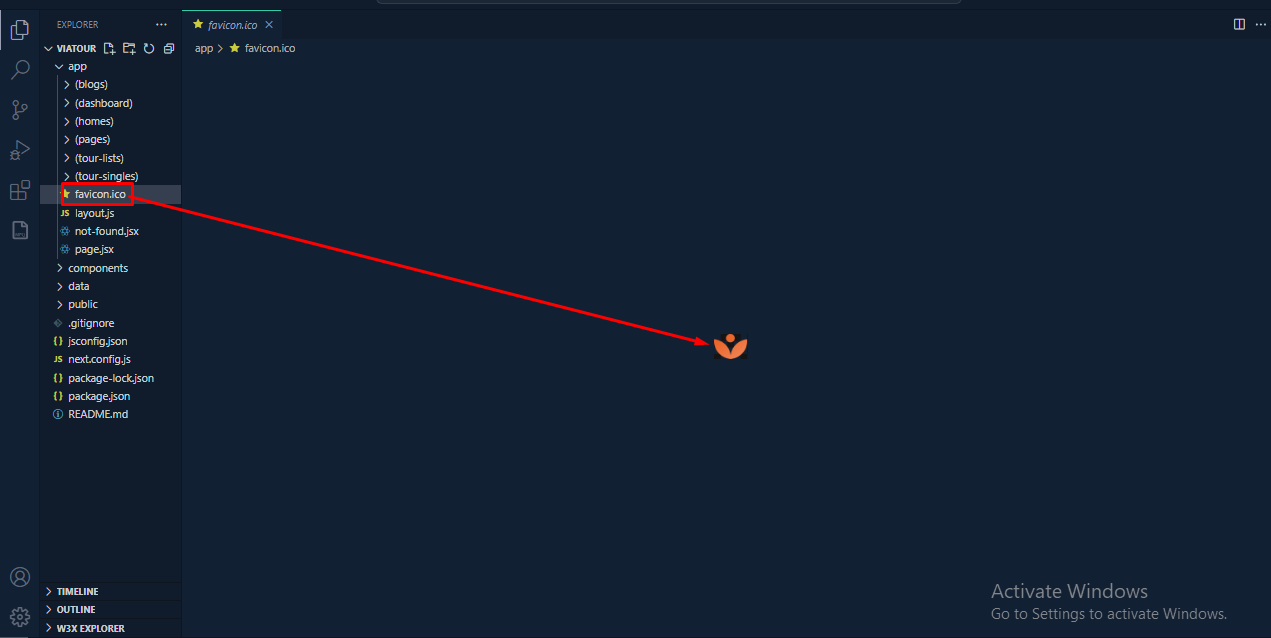
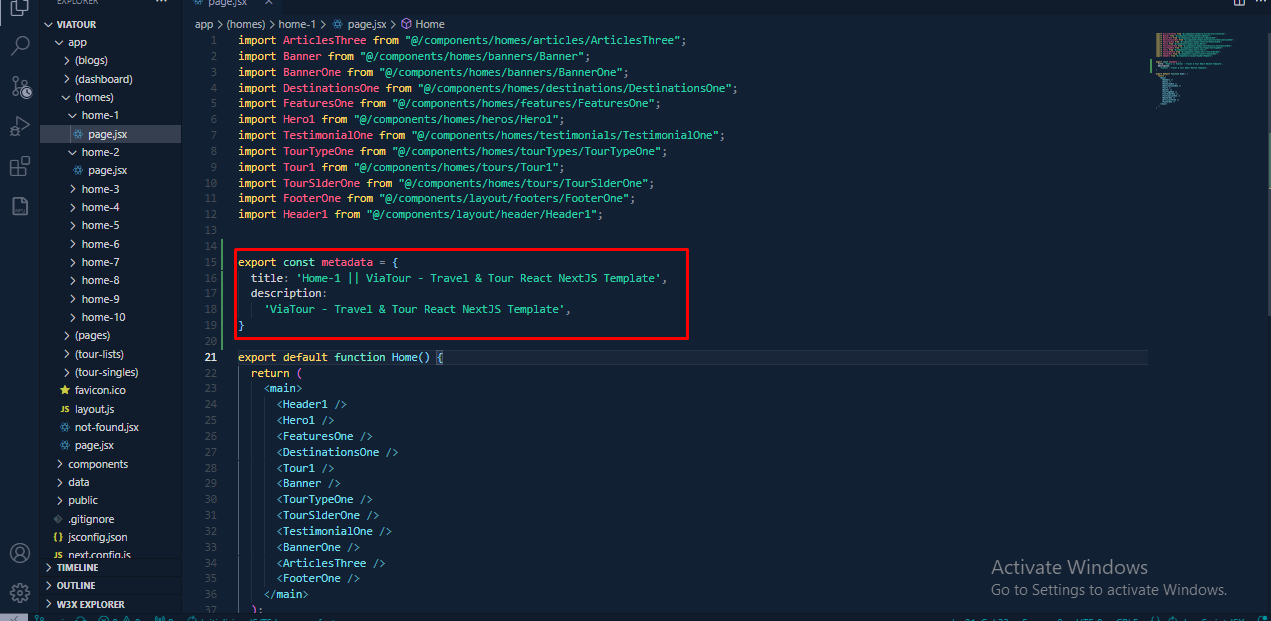
To change your Site title and Favicon open the Viatour in your editor and go to the location by following screenshot which are given bellow.

go to Appearance -> Import Demo Data
By folllowing this screenshot you can change favicon image
go to Appearance -> Import Demo Data
By folllowing this screenshot you can change page title

Change Logo

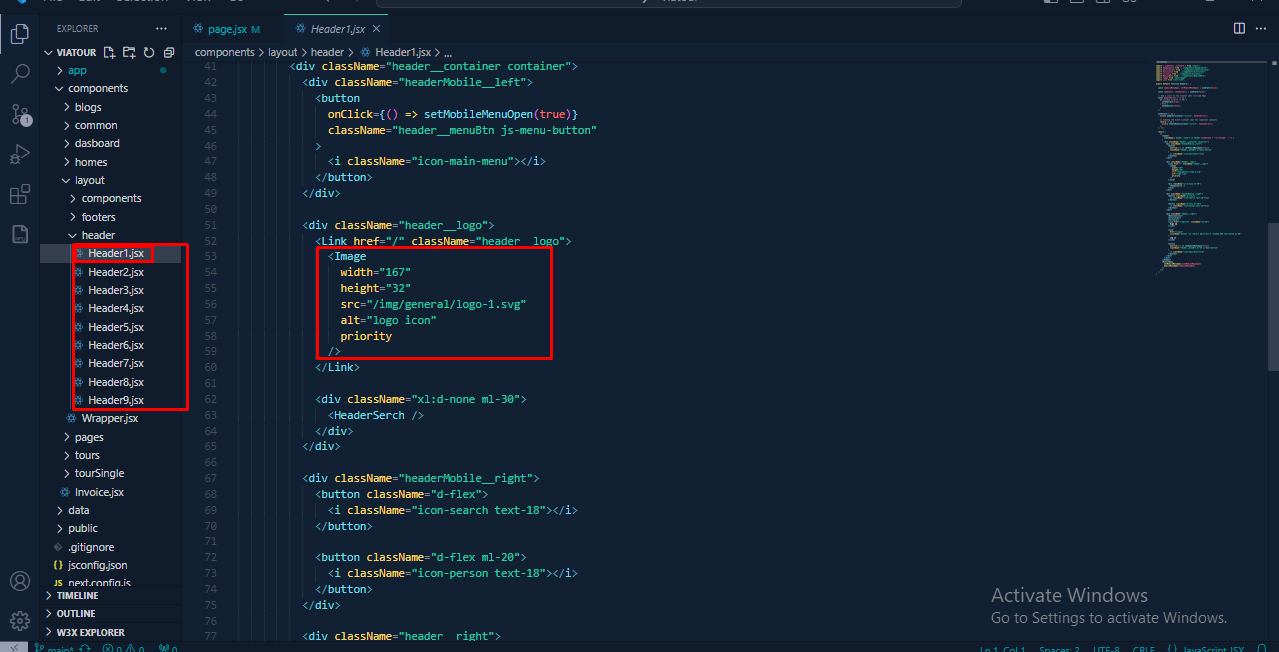
To change your Site logo by following screenshot

  1. From the template options go to componentsheader
Go to Dashboard > Imroz template Options > General > upload your logo from here.
By folllowing this screenshot you can change your Logo

Header

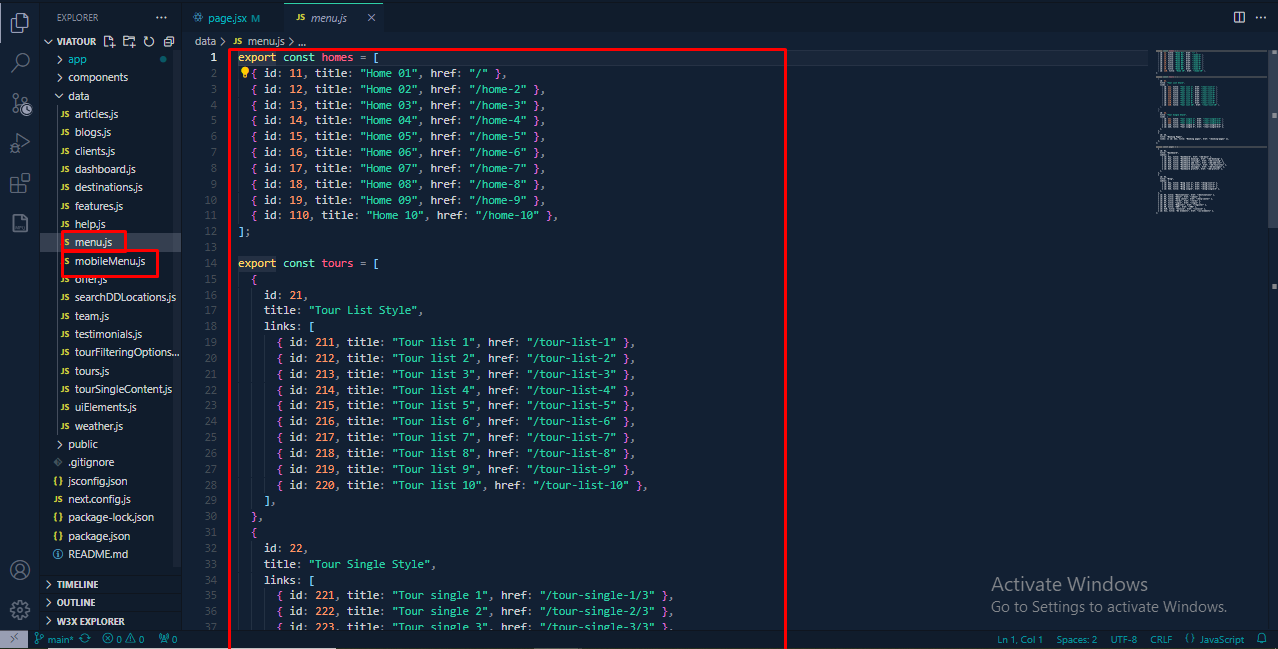
To change Header Menu content by following this screenshot here.

  1. From the template options go to datamenu.js && mobileMenu.js
Change Profile Image
Change Header Menu Content

Hero Section

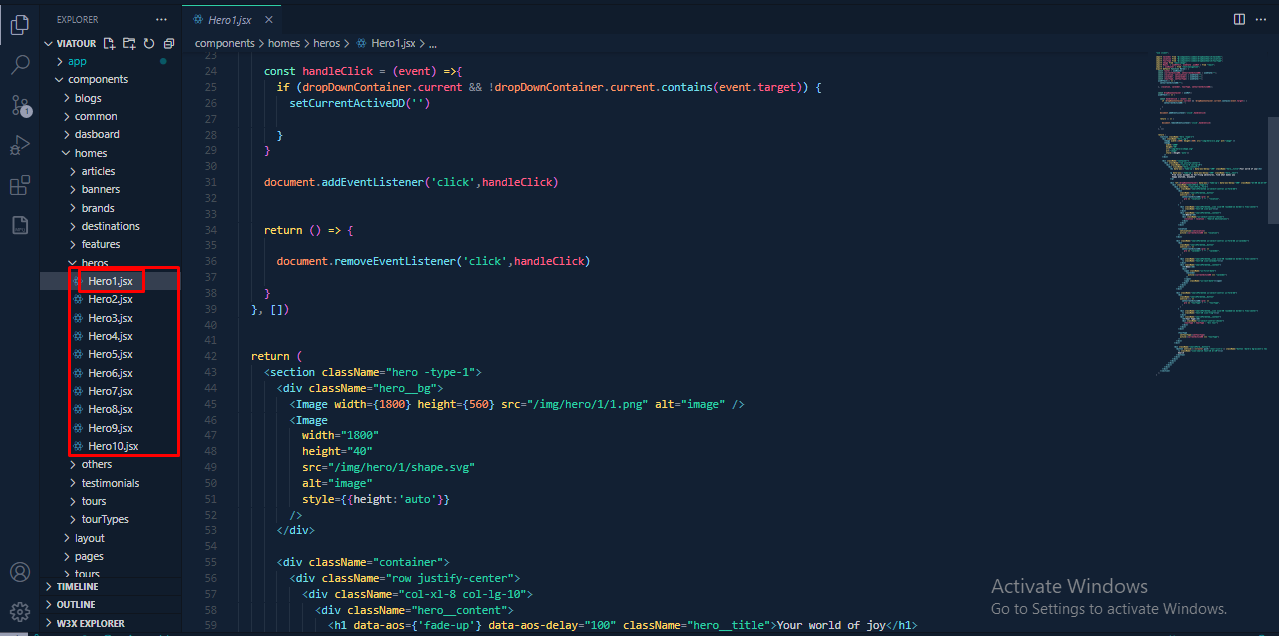
To change Hero Section content by following this screenshot here.

  1. From the template options go to components homes hero
Change Profile Image
Change Hero Section Content

Tour Listings Data

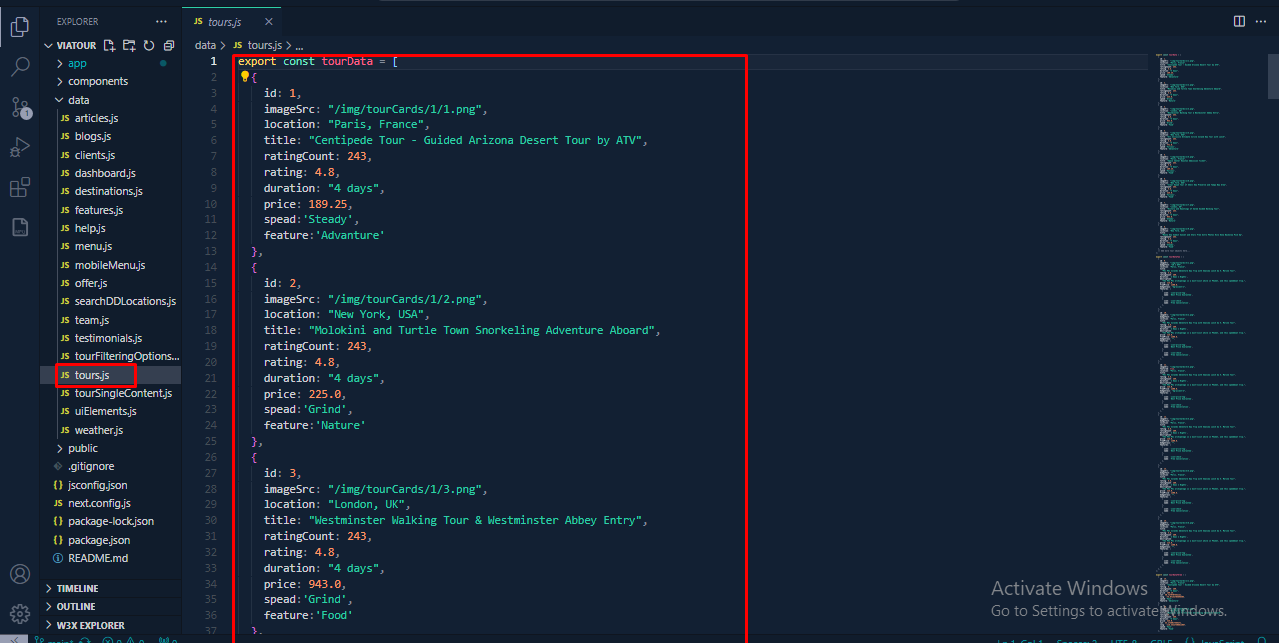
To change Tour Listings Data by following this screenshot here.

  1. From the template options go to data tour.js
Change Profile Image
Change Tour Listings Data by the following screenshot

Blog

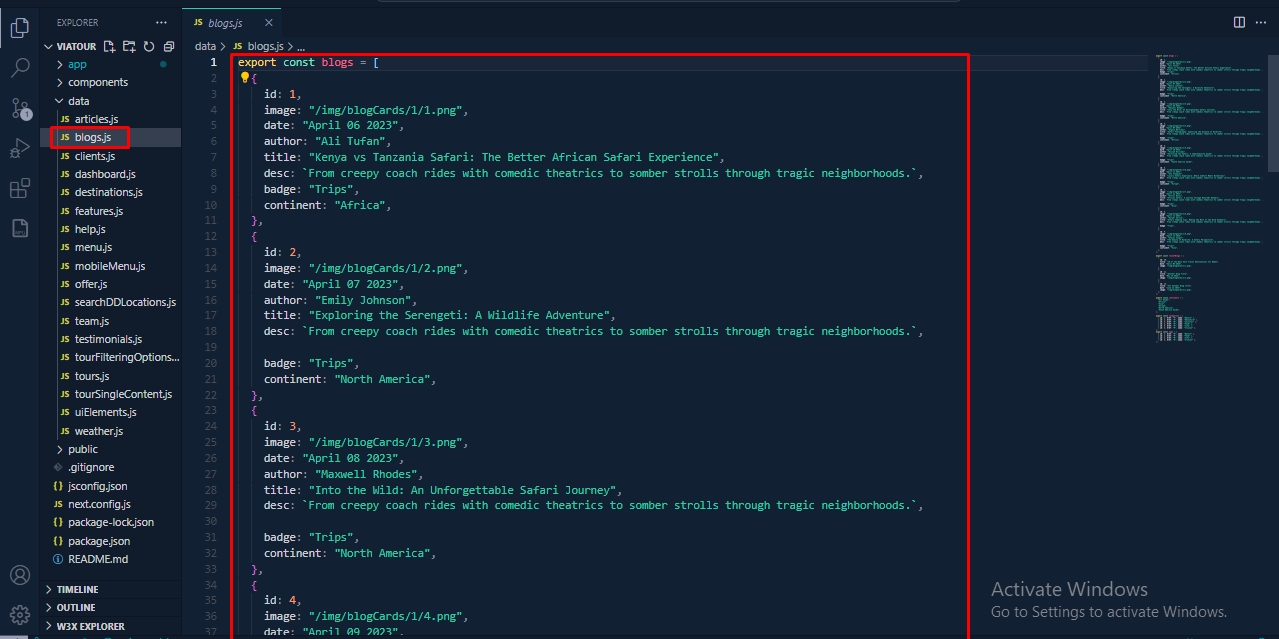
To change Blog & Details Content you can change by following this screenshot here.

  1. From the template options go to data blogs.js
Change Blog Archive Setting
Change About us Content by the following screenshot

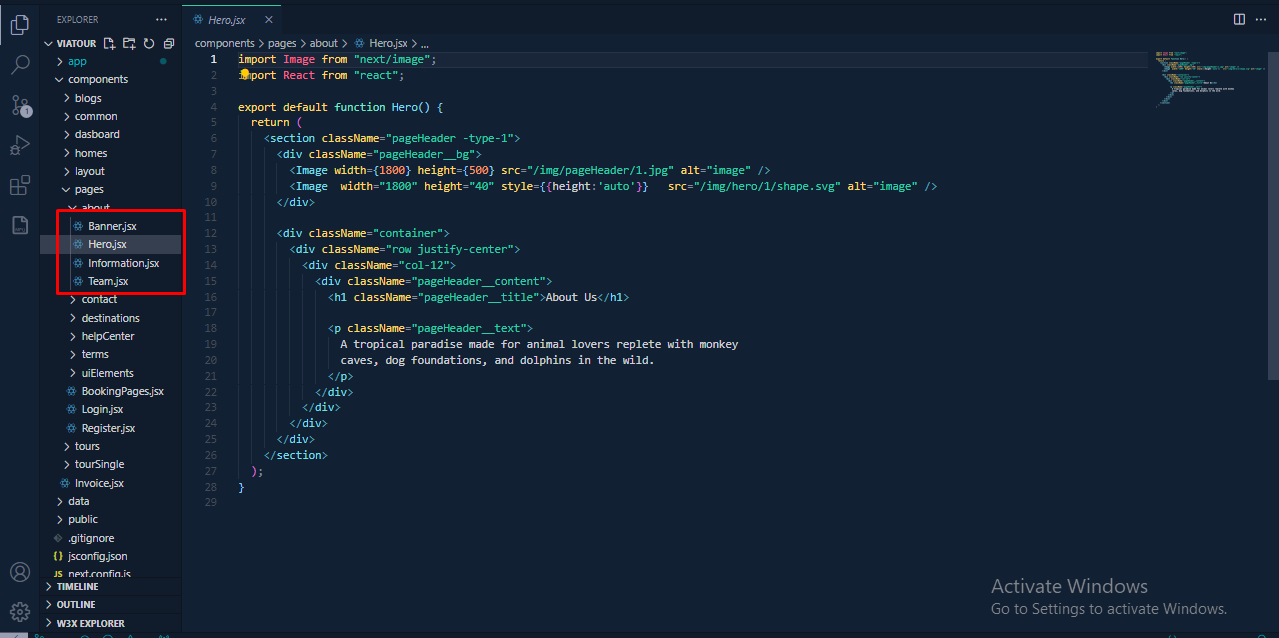
About

To change About Content you can change by following this screenshot here.

  1. From the template options go to components pages about
Change about Archive Setting
Change Destinations Content by the following screenshot

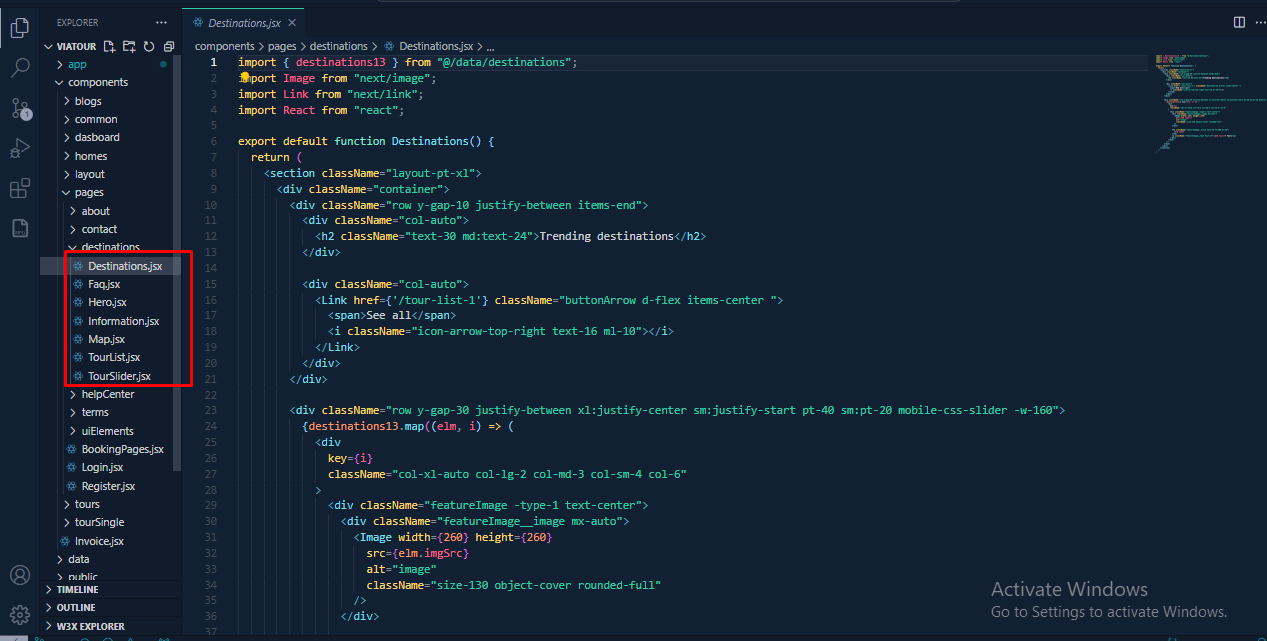
Destinations

To change Destinations Content you can change by following this screenshot here.

  1. From the template options go to components pages destinations
Change Destinations Archive Setting
Change Terms Content by the following screenshot

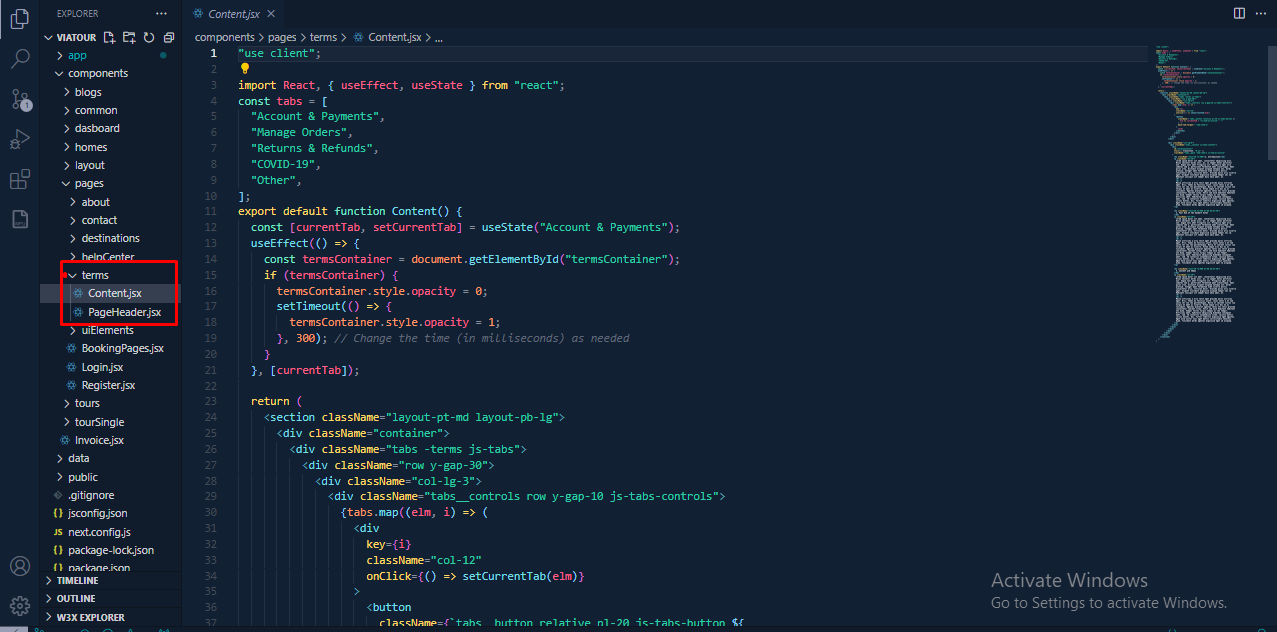
Terms

To change Terms Content you can change by following this screenshot here.

  1. From the template options go to components pages terms
Change Terms Archive Setting
Change Terms Content by the following screenshot

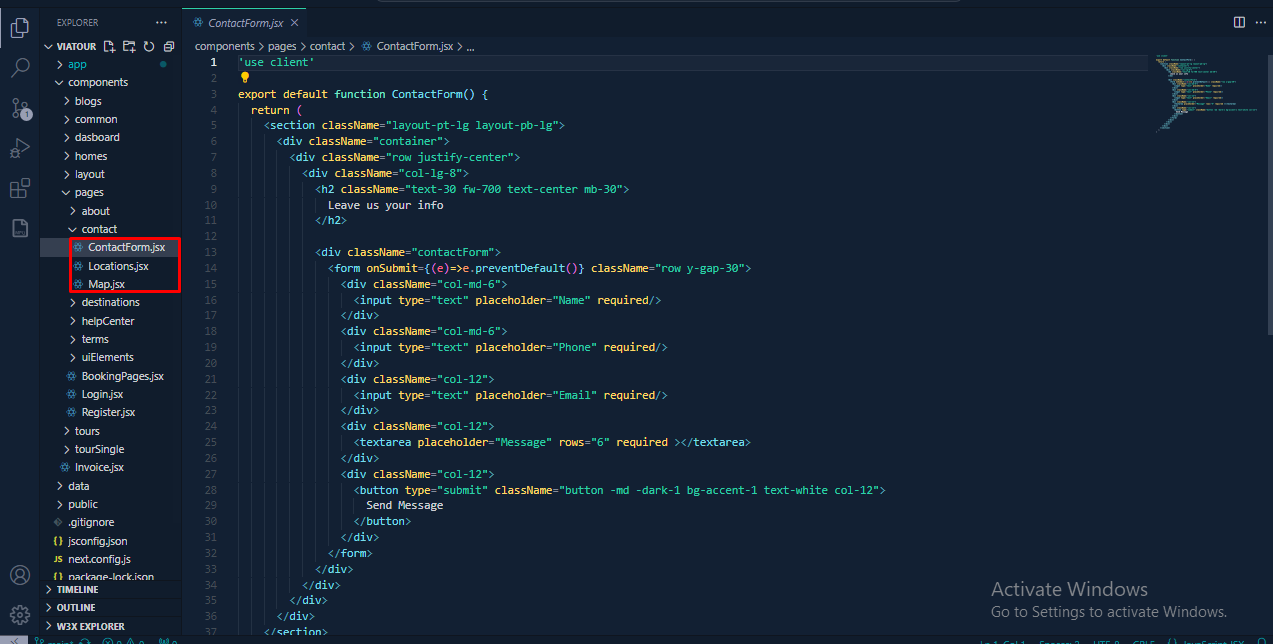
Contact & Address

To change Contact Form and Address you can change by following this screenshot here.

  1. From the template options go to components pages contact
Change Contact Archive Setting
Change Contact Form Content by the following screenshot

Footer Menu & CopyRight

To change your Footer Social & CopyRight content you can change by following this screenshot here.

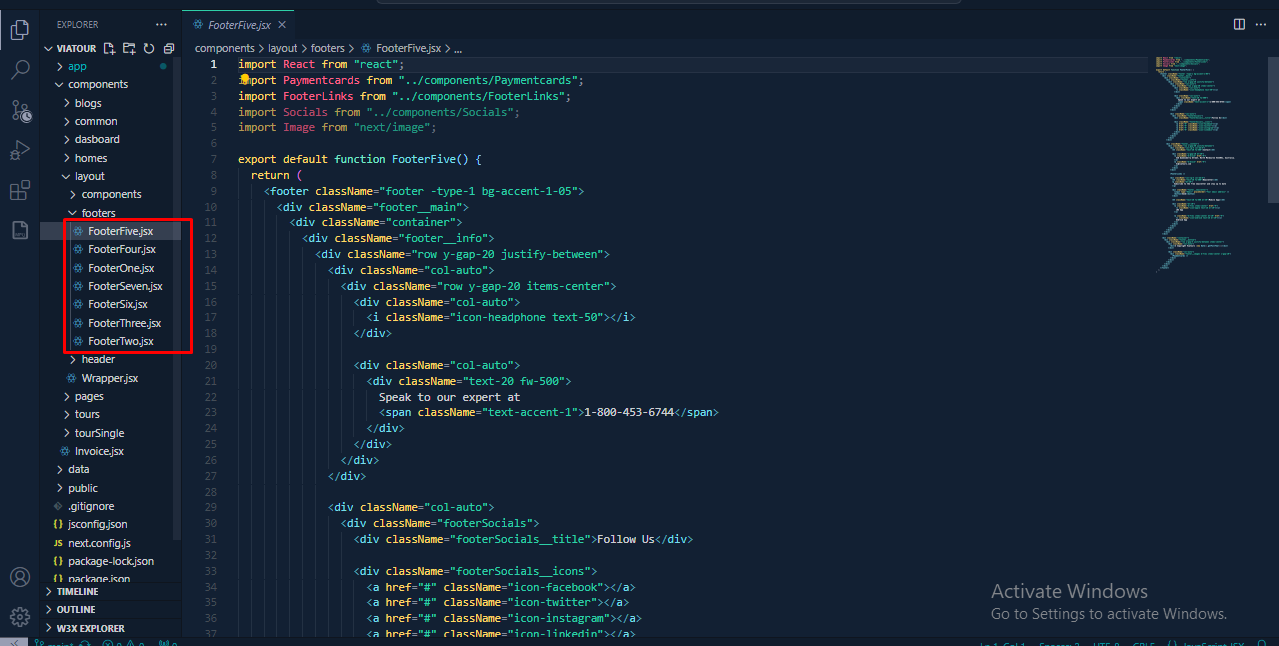
  1. To Change footer menu data and social from the data folder options go to components layout footers
Change Back to Top Arrow Setting
Change Footer Menu Content by following this screenshot.

All Data for this site

To change your data content you can change by following this screenshot here.

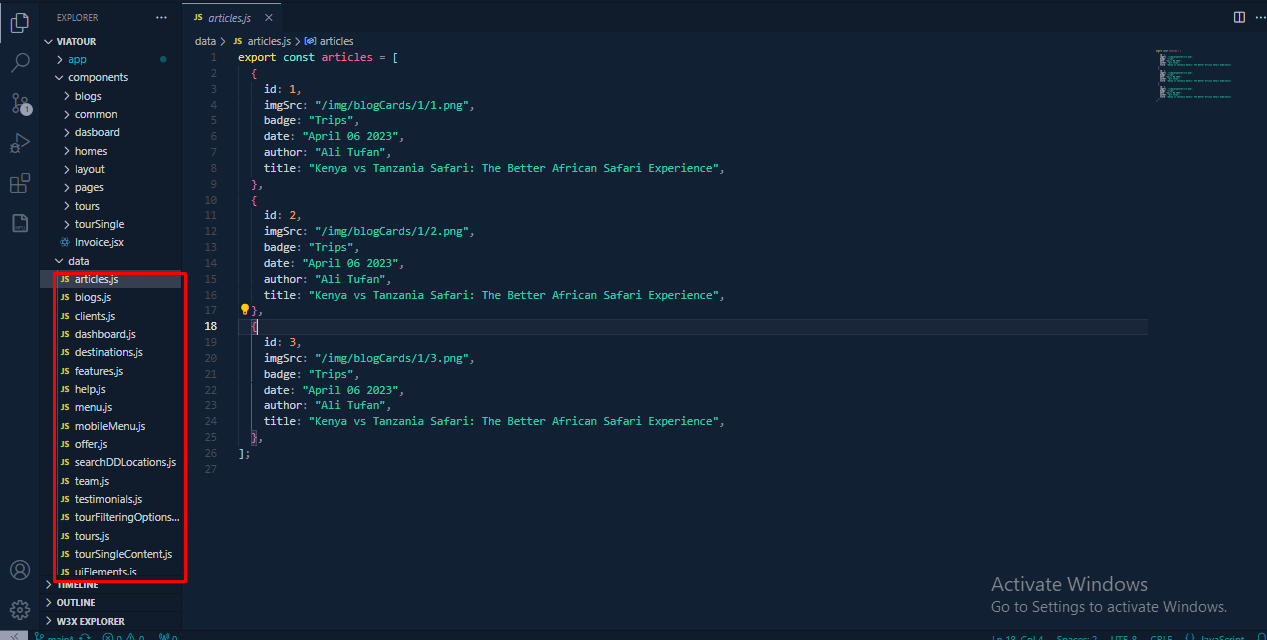
  1. To Change data from the data folder options go to data
Change Back to Top Arrow Setting
Change All Data Content by following this screenshot.

404 Page

To change 404 page content you can change by following this screenshot here.

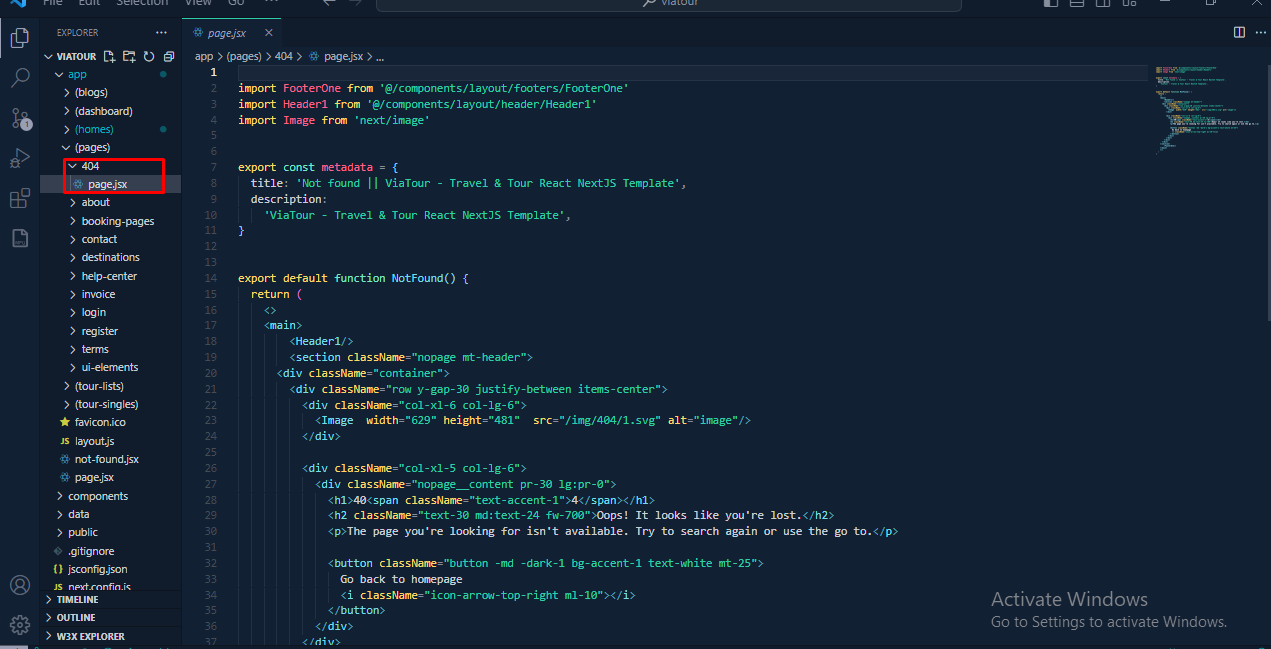
  1. To change 404 page content from the data folder options go to app (pages) 404 page.jsx
Change Back to Top Arrow Setting
Change 404 page Content by following this screenshot.

Change Global Color

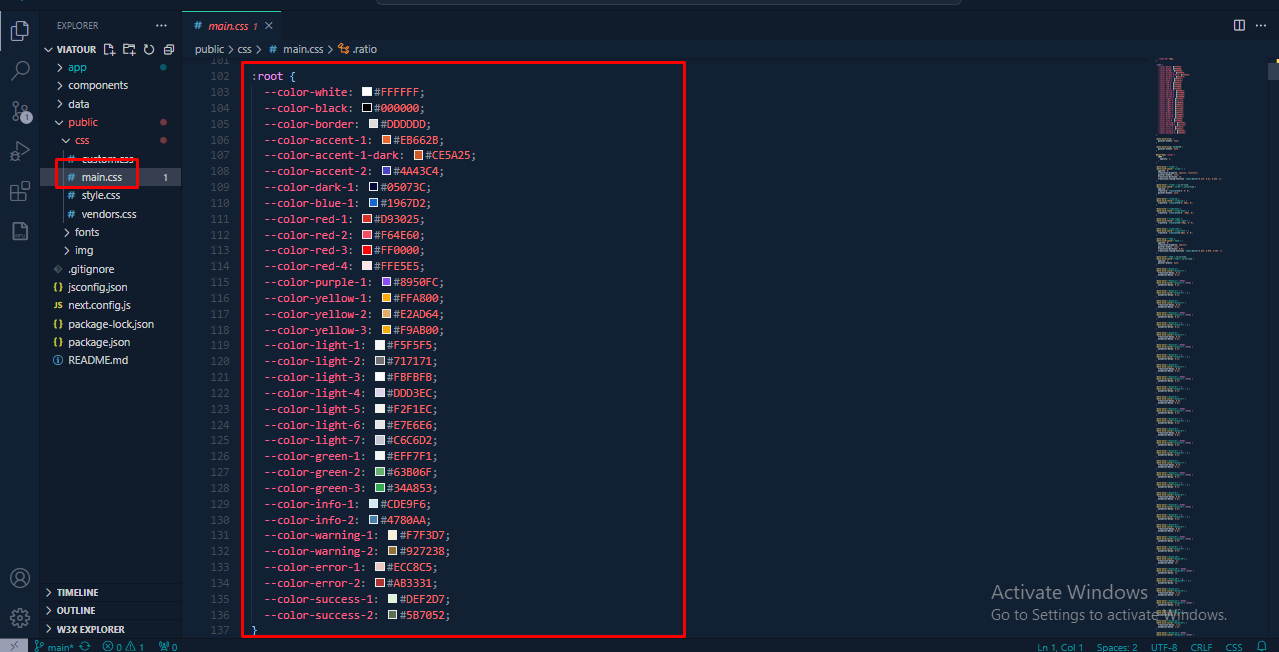
To change Change Global Color by following screenshot which are given bellow.

go to Appearance -> Import Demo Data
By folllowing this screenshot you can Change Global Color

Change Log

Ib-Themes Team never stops Improving, bug fixes, and improvements. See What's New. We recommend you to read the changelog for every update.

17 March 2024

Next release

1.1.0

Relese1) item preview and necessary bug fixed

07 February 2024

Next release

1.0.0

Relese1) Item Release

Support? ibthemes21@gmail.com

If you like our product. Please Rate Us

If you need the template customization or custom development services please contact us.

Email Us

Viatour

© 2021 All Rights Reserved by ib-themes